
Presentations: Inbound/Delivered Badges & Order History, My NOOS Filter, Inactive Style Support, and More
1776266037628
Here are the latest updates to the DSR app.
HIGHLIGHTS OF THE RELEASE
Inbound & Delivered Badges
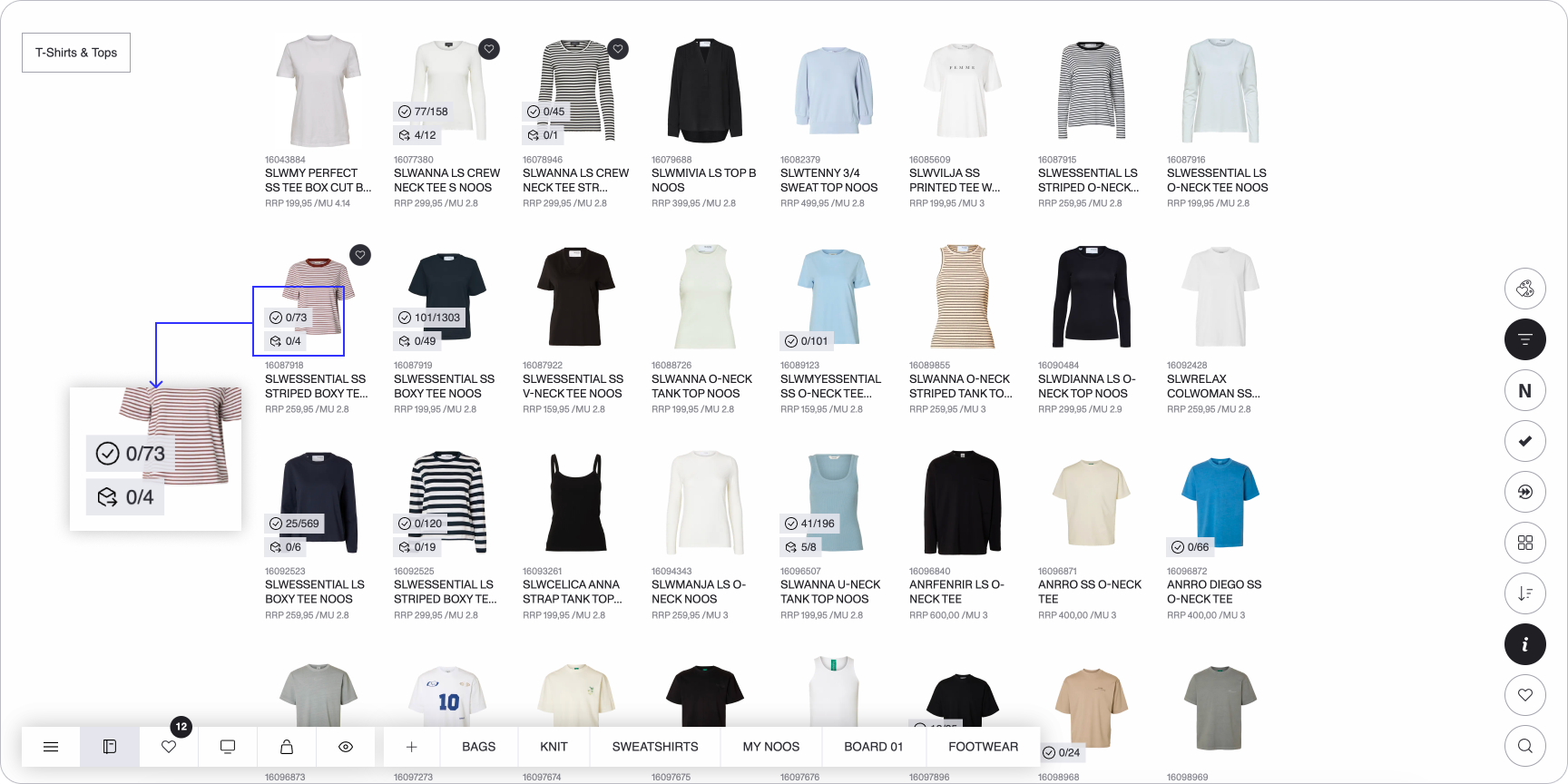
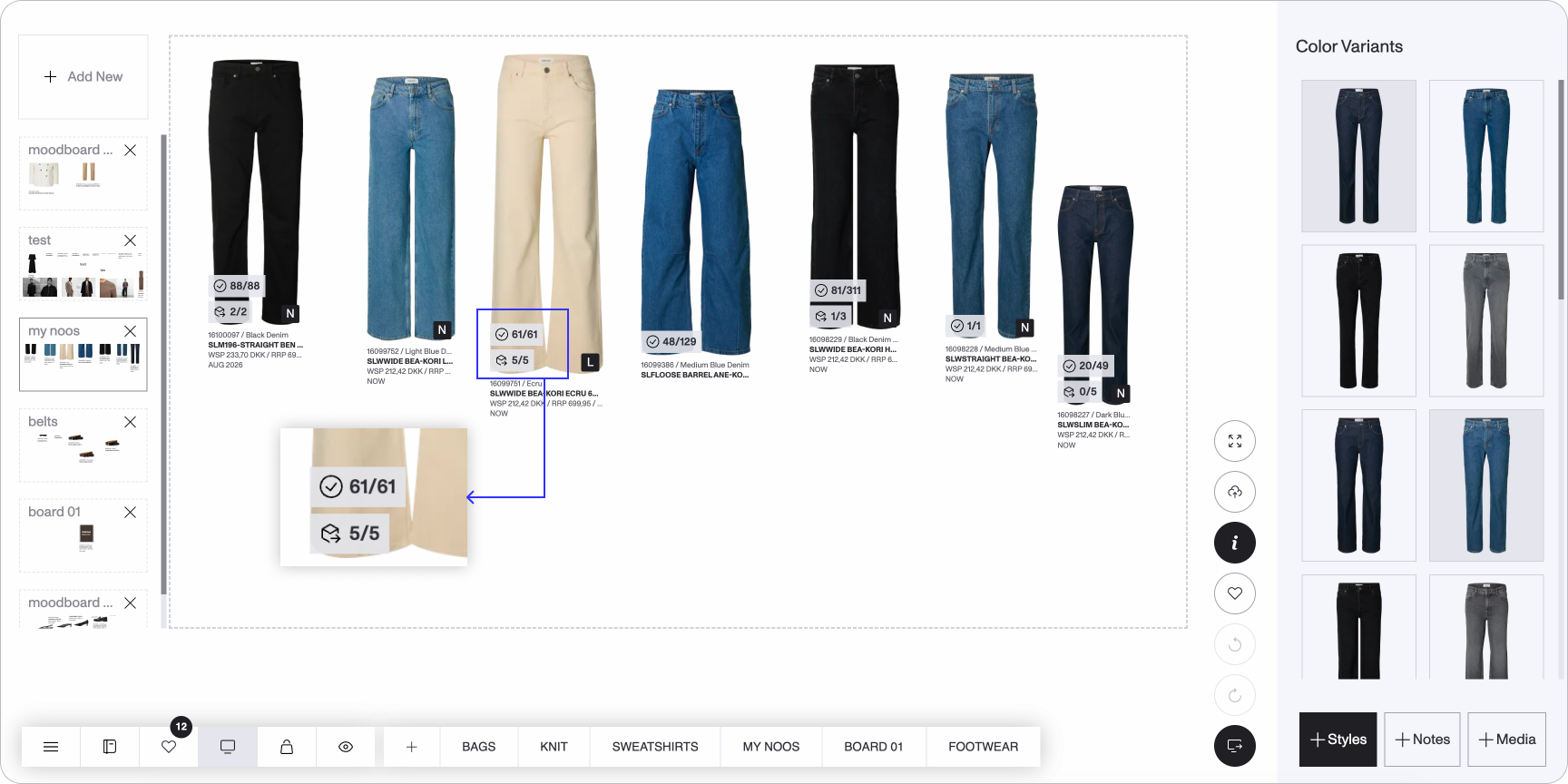
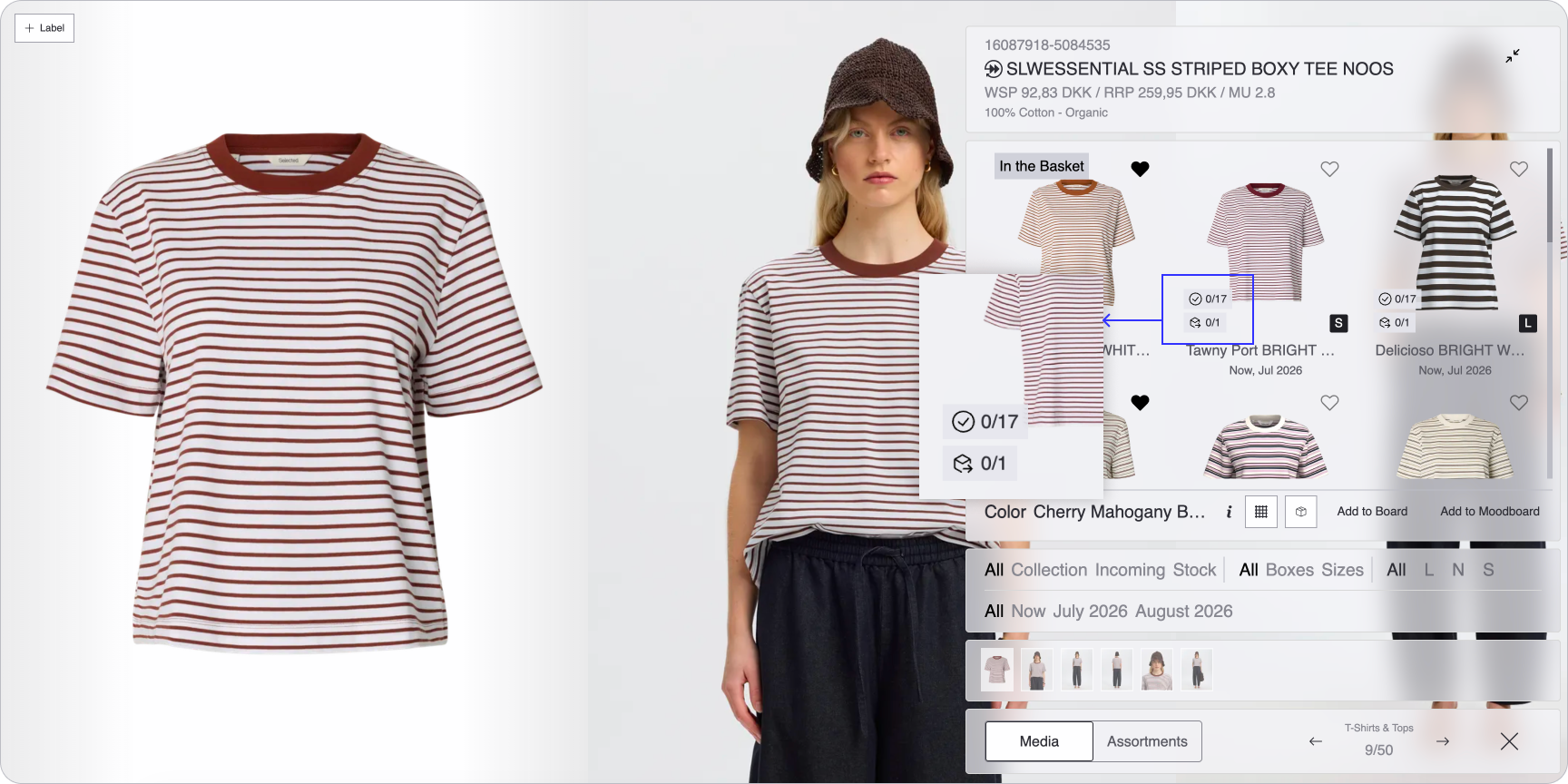
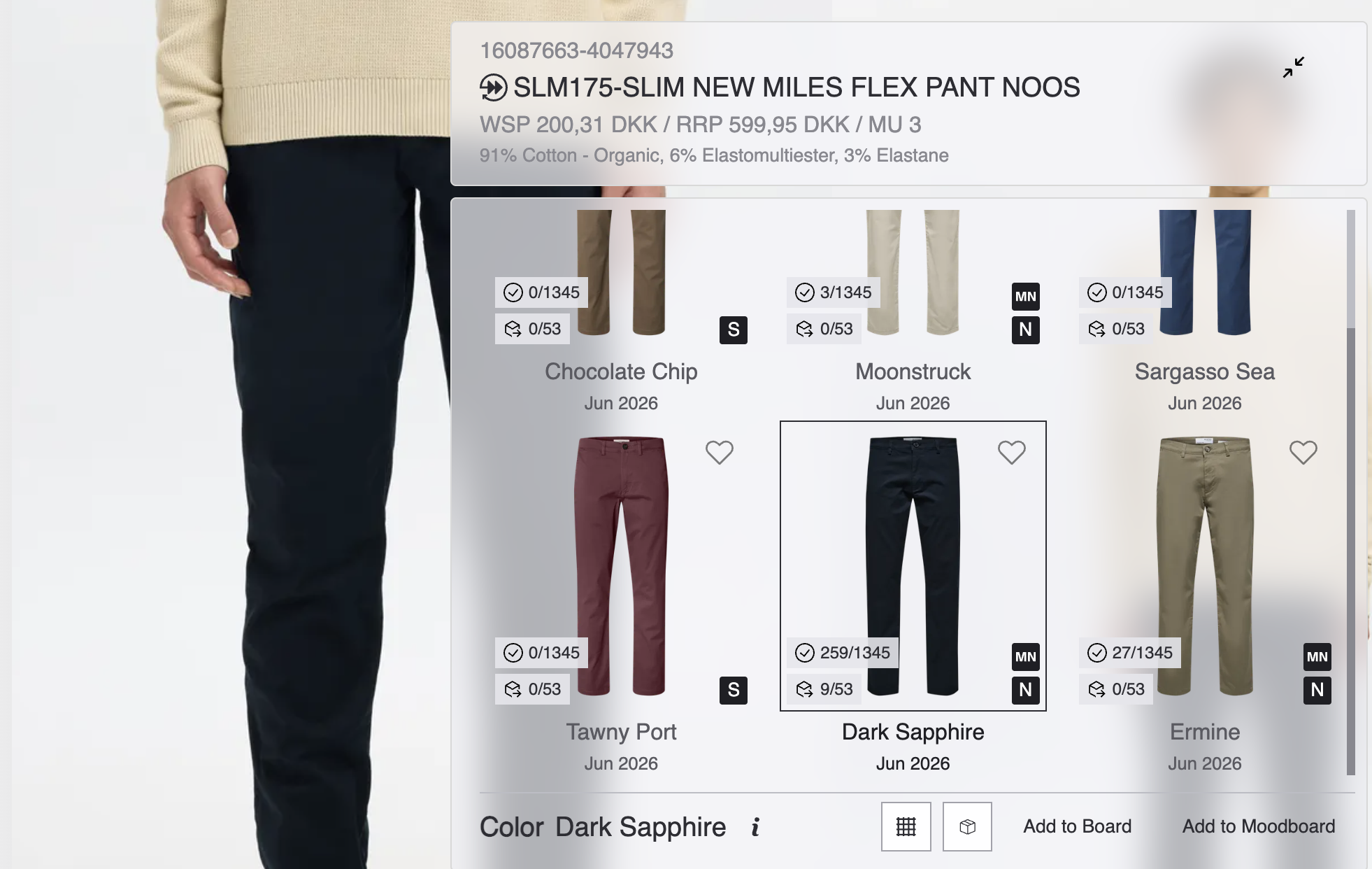
Product thumbnails now display Delivered and Inbound quantity badges in the bottom-left corner — Delivered on top, Inbound below.
Badges are available across Catalog, Favorites, Moodboard, Basket, Inspect Order, Boards, and the PDP color variant view, and appear when Show Info is enabled.
Quantities are based on orders from the last 7 months for the stores in your active basket.
Each badge shows the quantity in a variant qty / product qty format (e.g., 3/17), so you can see both the color variant level and the total product level at a glance.
Order Status Filter
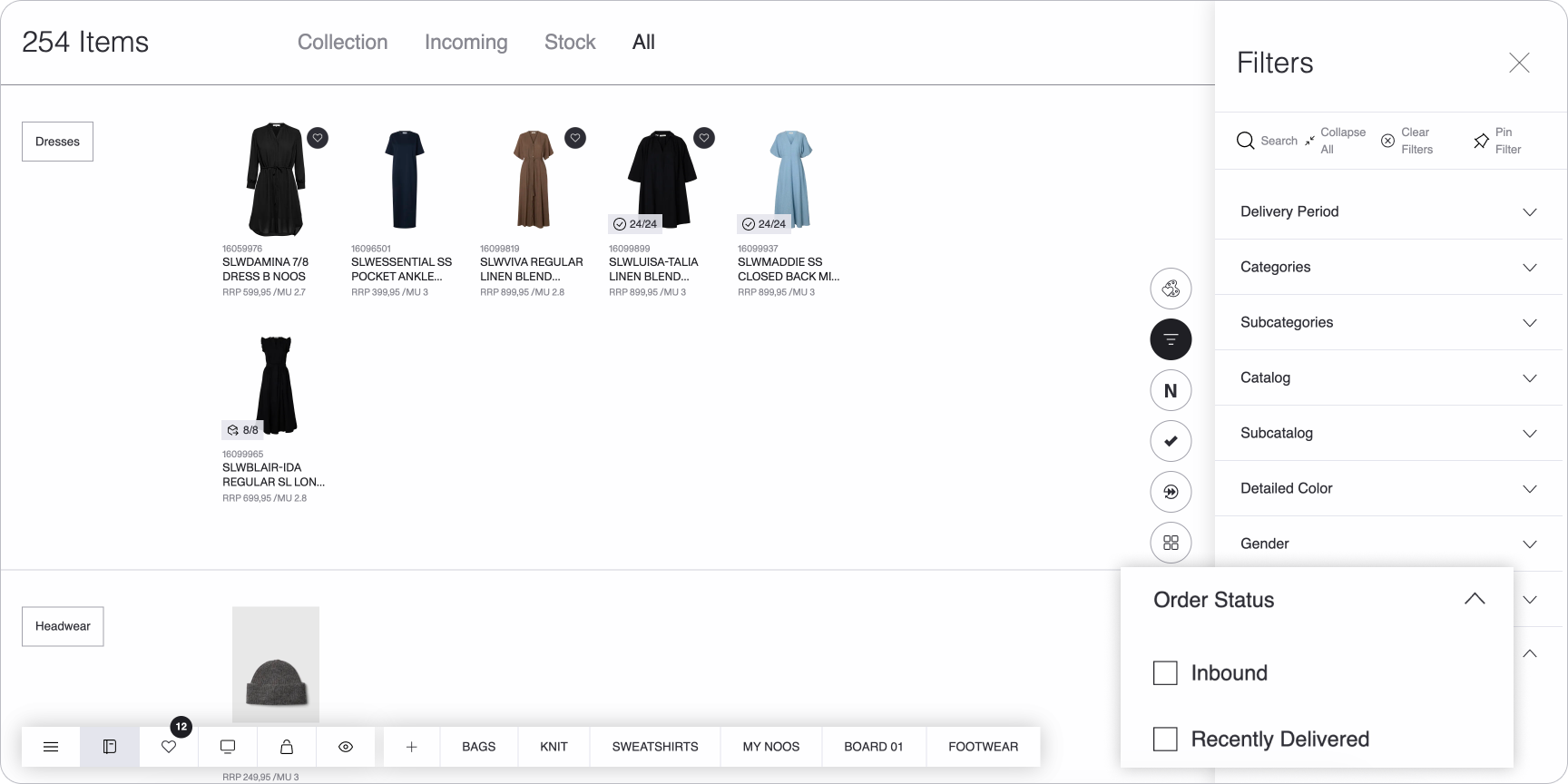
An Order Status filter is now available on product listings, letting you narrow down to Inbound or recently Delivered styles.
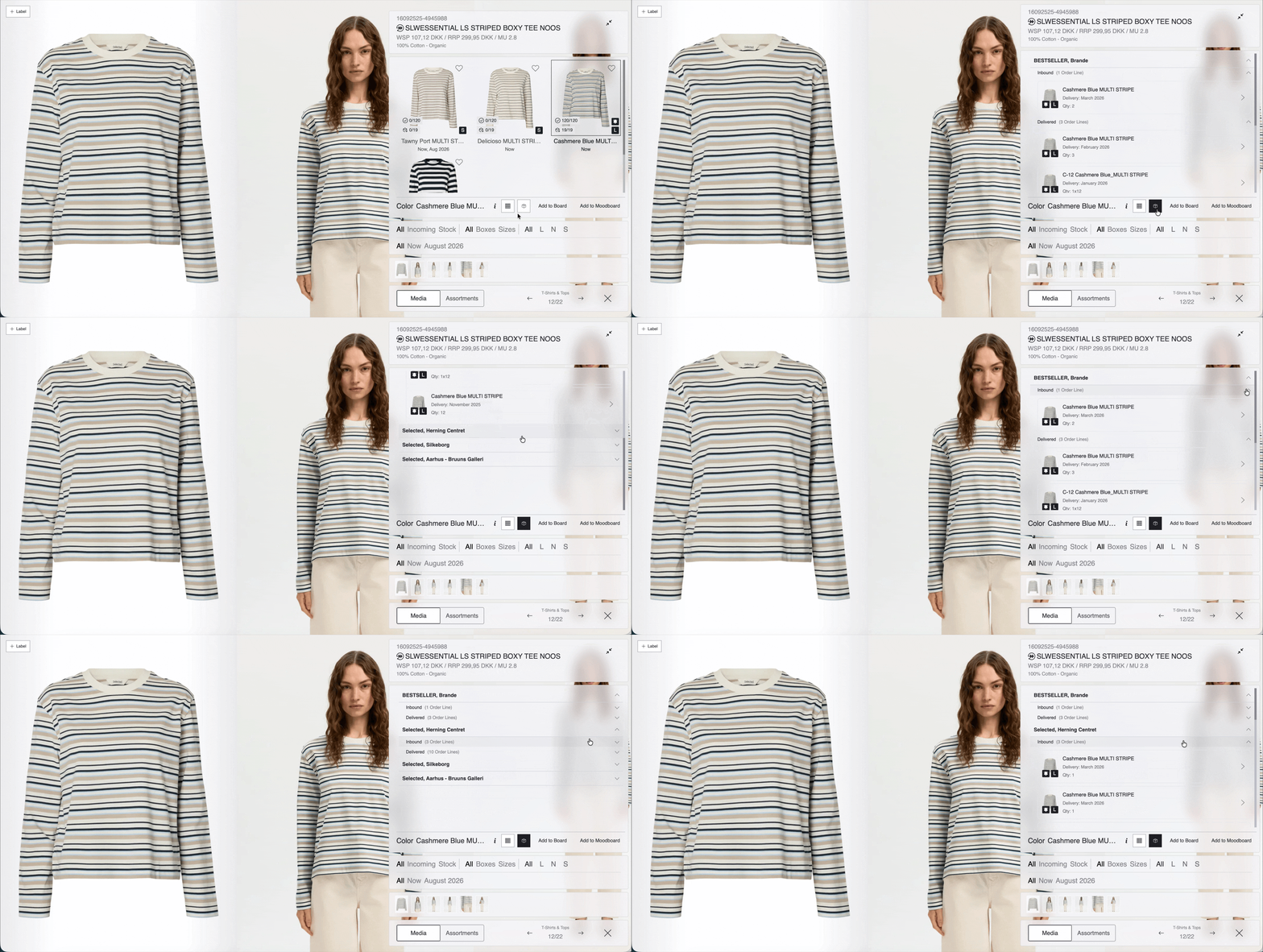
Order History on the PDP
A new Orders button on the PDP opens a dedicated order history view, grouped by store.
Each store expands into Inbound and Delivered sections with order line cards showing product name, delivery month, and quantity.
Click any card to see a detailed breakdown — including size distribution tables for both assortments and individual items — along with order number, status, and estimated shipping.
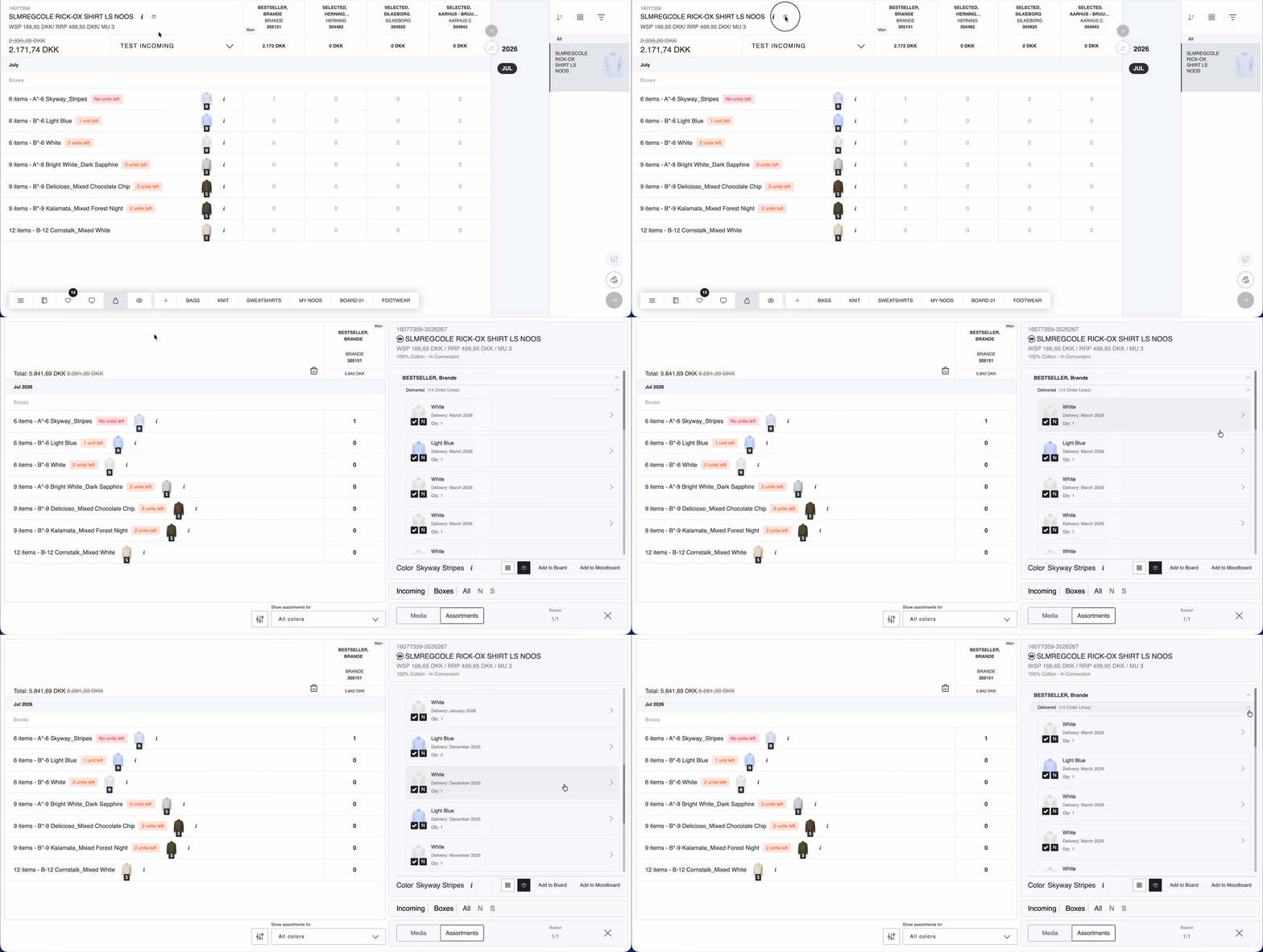
Order History Shortcut in Basket Assortment View
An order history button is now available on each product row in the Basket assortment view. Clicking it opens the PDP with the order history view pre-opened, so you can quickly review past orders for a specific product.
My NOOS Filter
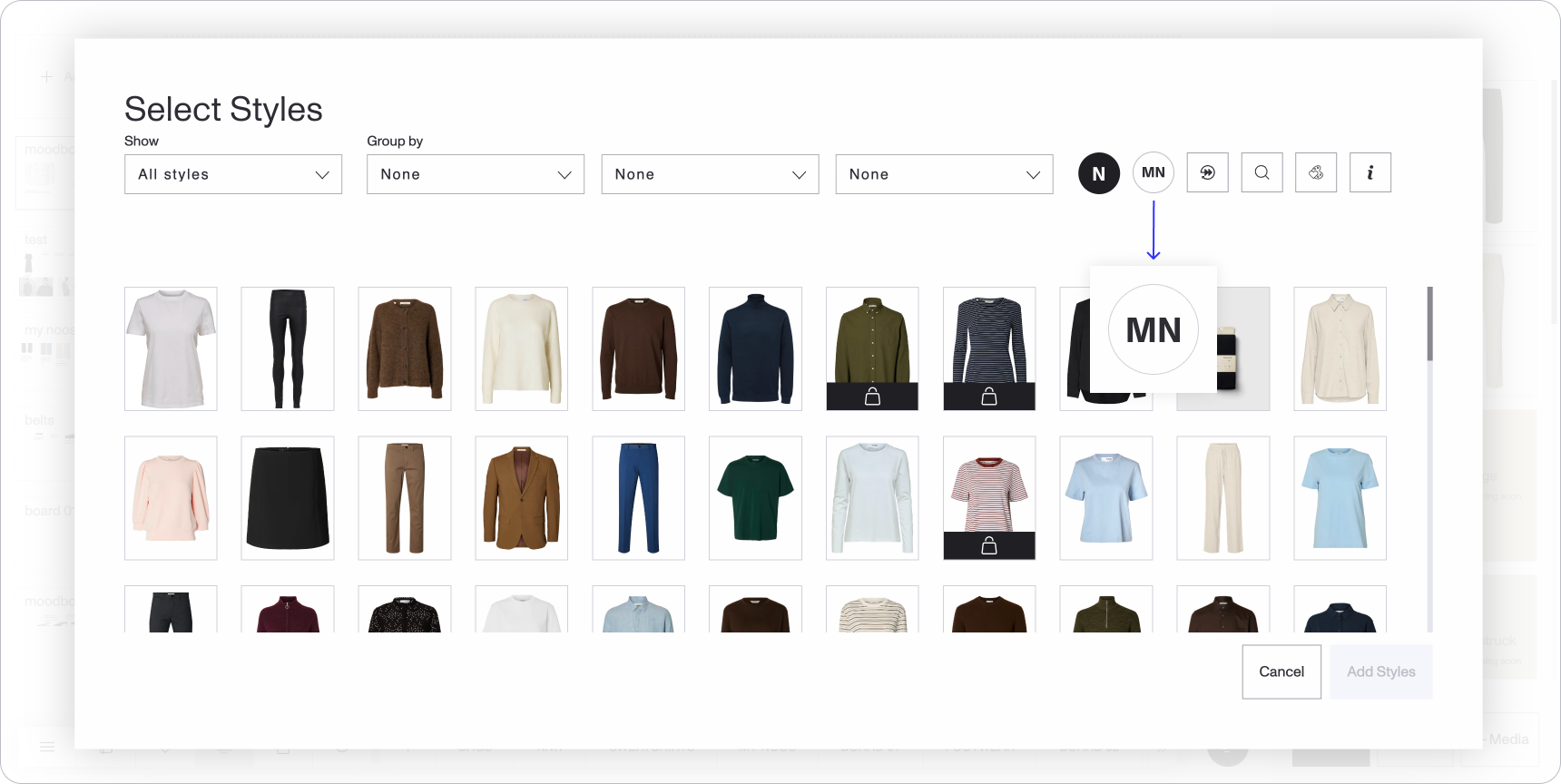
A new My NOOS filter helps you quickly find color variants that are any type of NOOS and have been ordered and invoiced within the last 7 months for your selected stores.
The filter is available across Catalog, Favorites, the Select Styles modal on the Moodboard, Basket, and Inspect Order. It can be configured and toggled from the Settings page, and its state is saved per view.
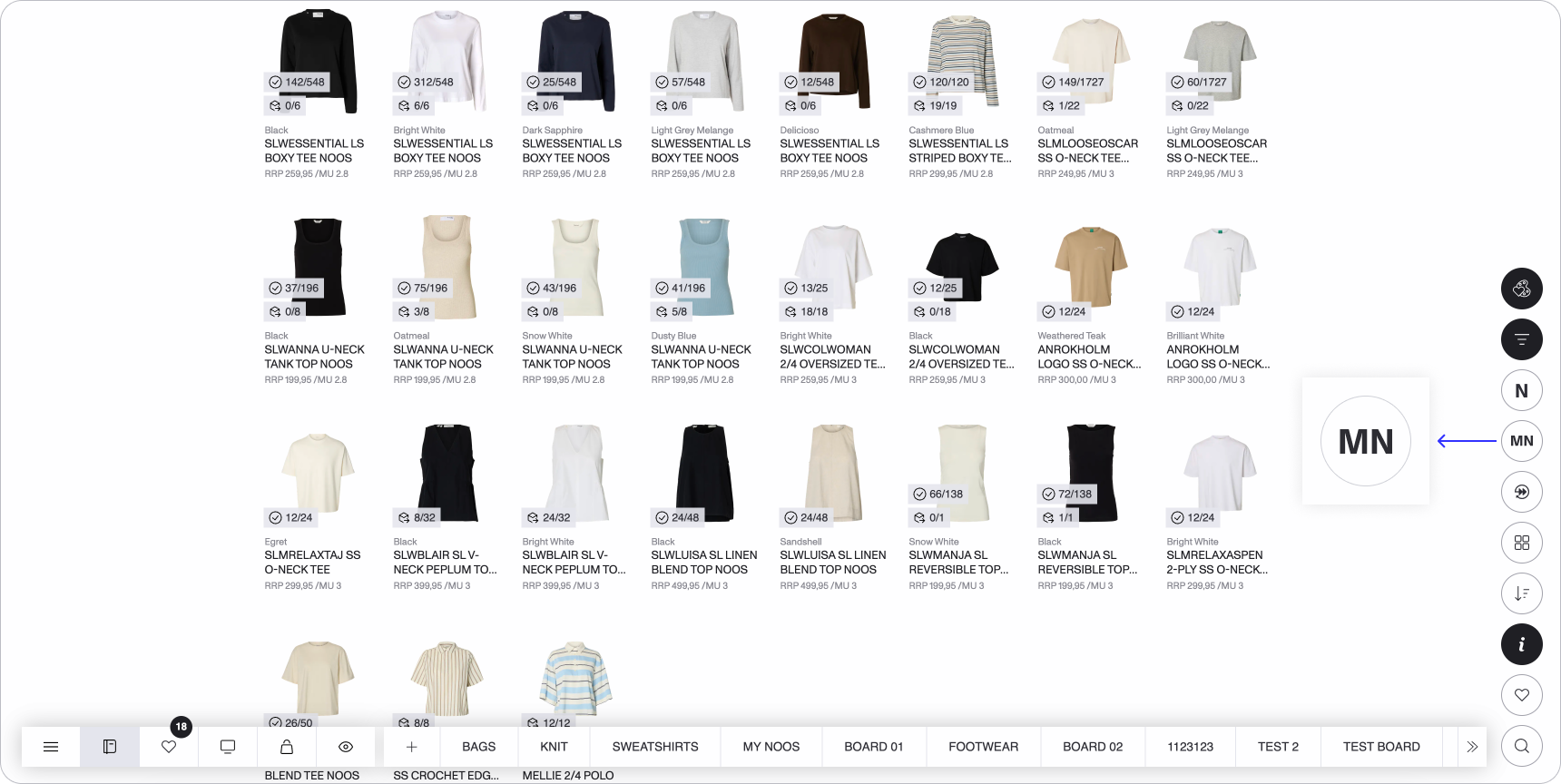
In the PDP color variant view, color variants identified as My NOOS now display a dedicated icon badge — making it easy to spot previously ordered variants at a glance.
Inactive Style Support with a mini PDP
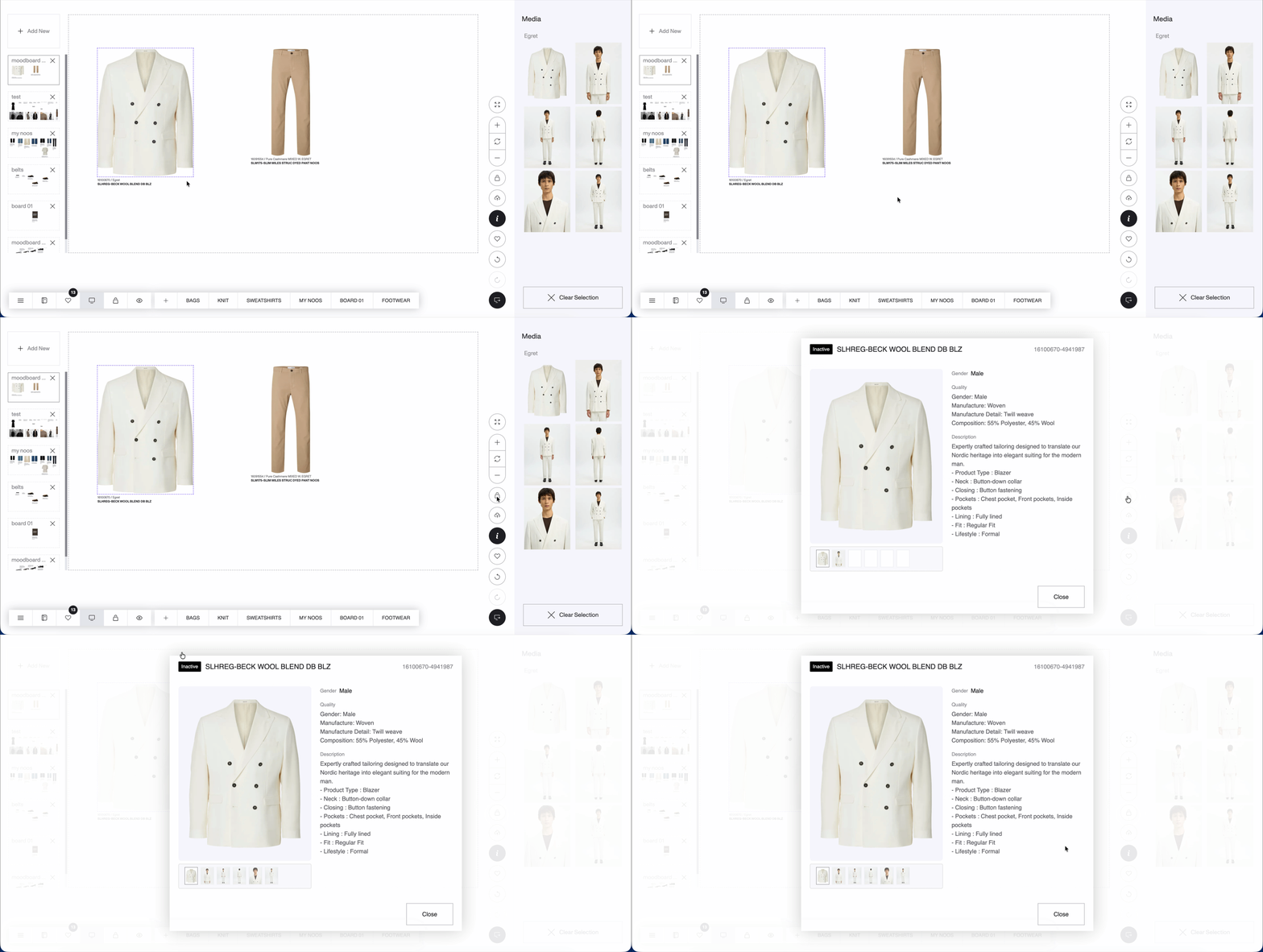
Inactive styles are now accessible in Moodboards and Boards, including Inbound data.
You can also open a mini PDP for inactive styles directly from Moodboards and Boards to review product details without leaving the view.
IMPROVEMENTS
Multi-Select & Copy Moodboards
You can now select multiple moodboards at once by holding the Shift key, then copy and paste all selected moodboards in one go. Clicking inside a moodboard deselects the multi-selection.
Consistent Controls Across Listings
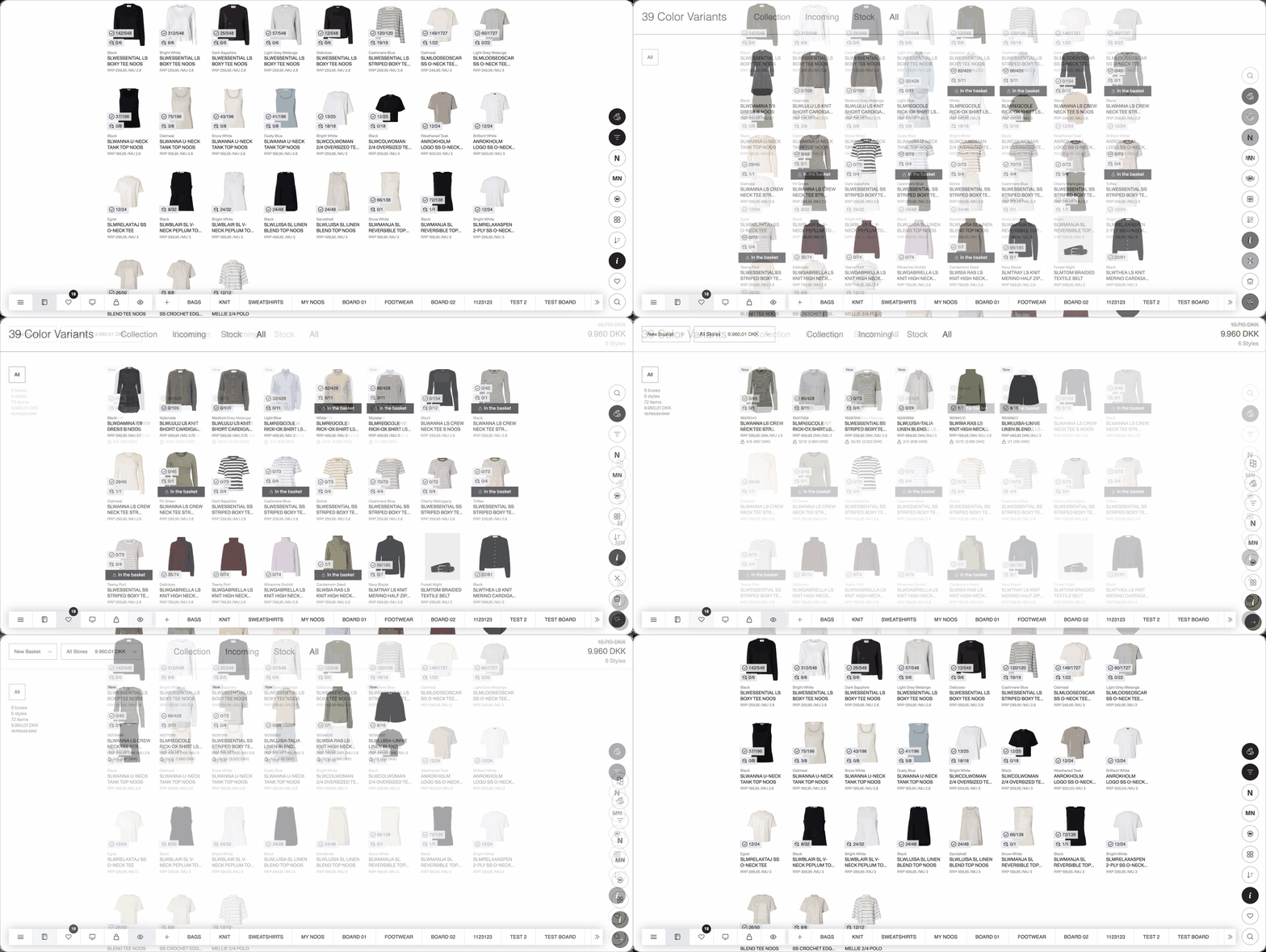
All product listings now share the same set of controls: NOOS type, Sustainability toggle, filter, grouping, search, and Show Favorite Colors. This brings a more consistent experience when switching between views.
Release Note Notifications in DSR
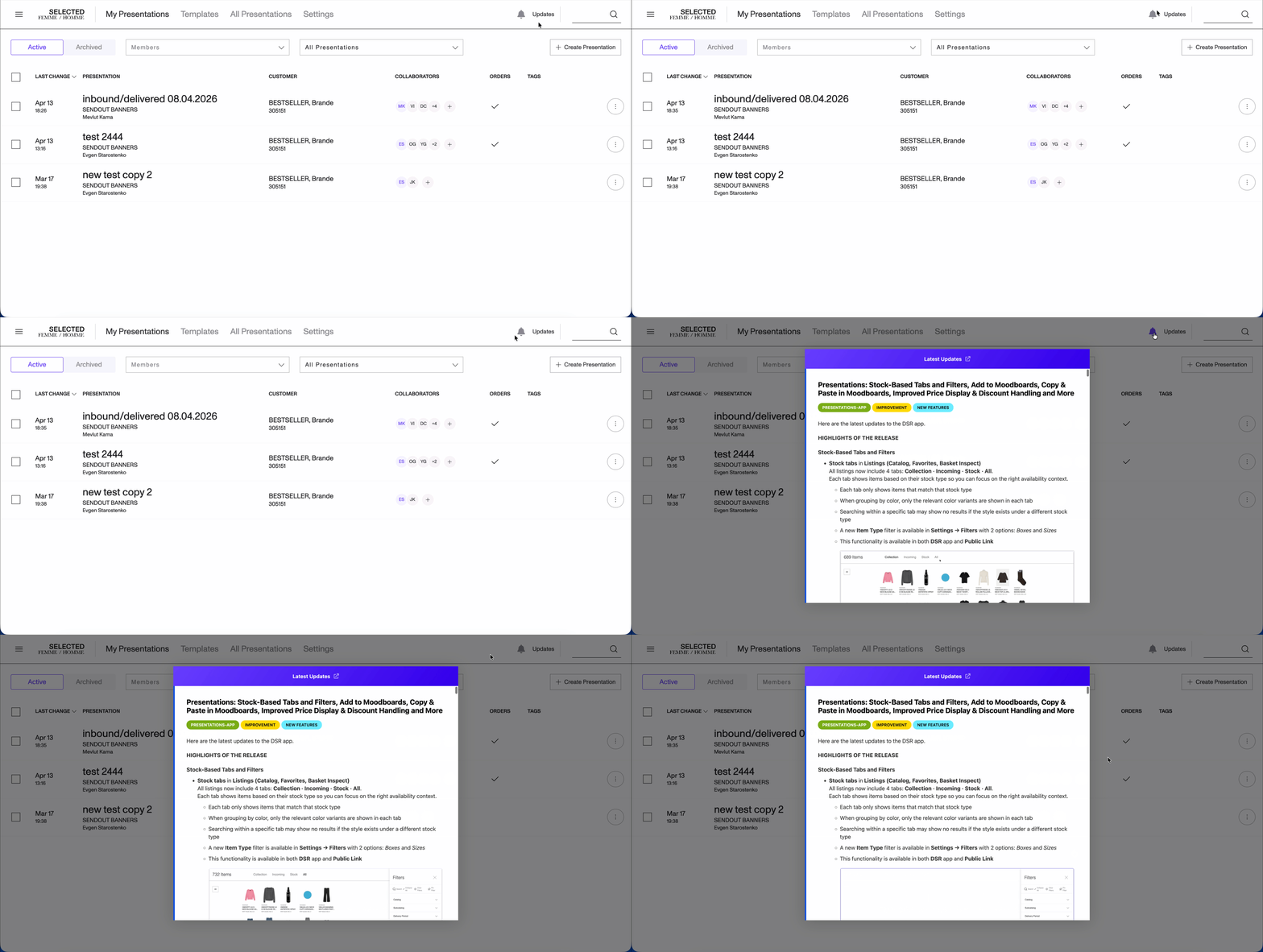
A bell icon with an "Updates" label is now available in the presentations header. Click it to read the latest release notes directly within the app — no need to visit an external page.
Copy Style Name
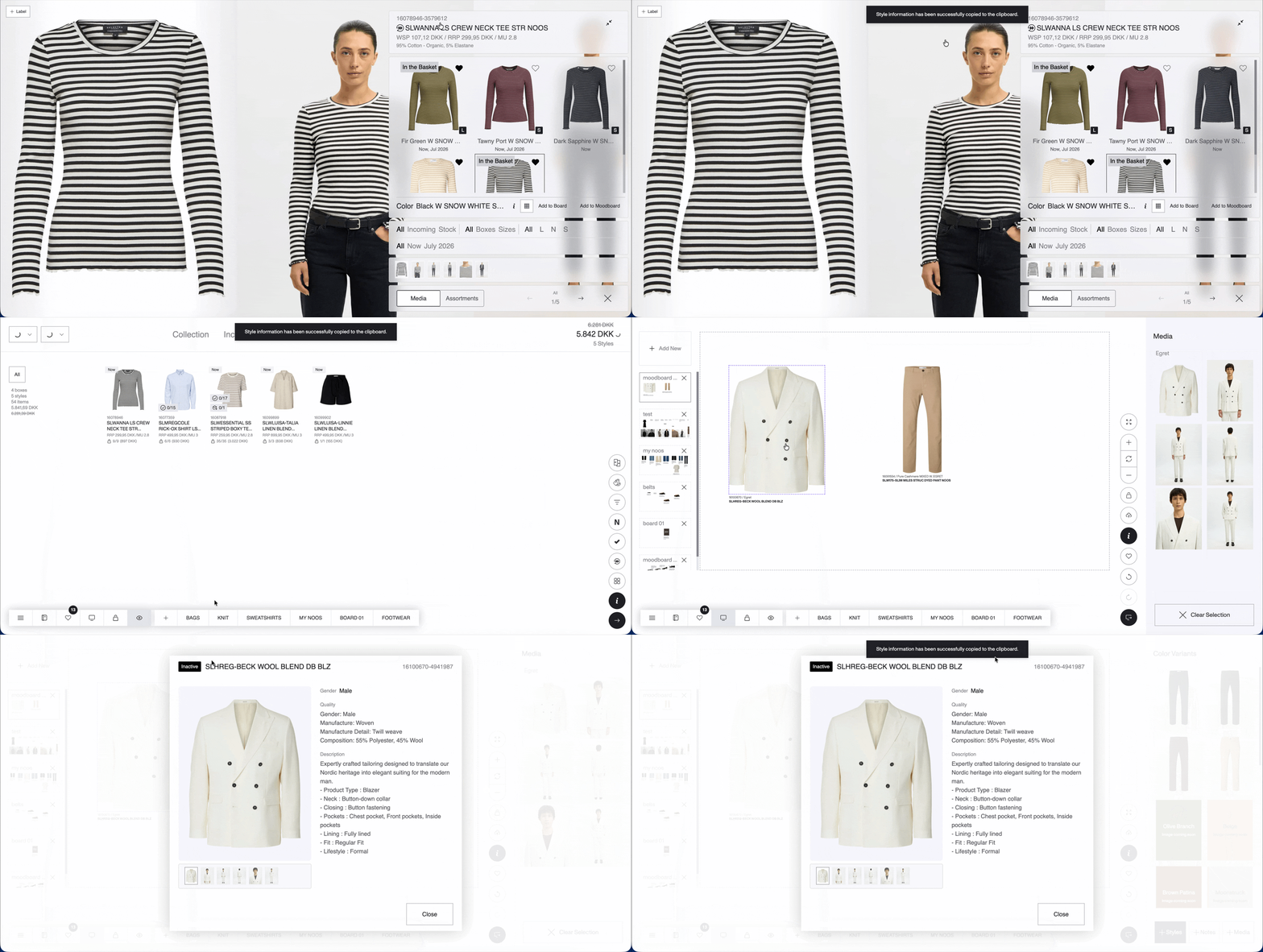
In all views where you can copy a style ID, you can now also click the style name to copy it to your clipboard.
FIXES & REFINEMENTS
Removed Free Assortments from Incoming in PDP
Free assortments with NOW delivery are no longer shown under Incoming in the PDP — they now appear only under Stock, where they belong.
