
Presentations: Stock-Based Tabs and Filters, Add to Moodboards, Copy & Paste in Moodboards, Improved Price Display & Discount Handling and More
1773192779275
Here are the latest updates to the DSR app.
HIGHLIGHTS OF THE RELEASE
Stock-Based Tabs and Filters
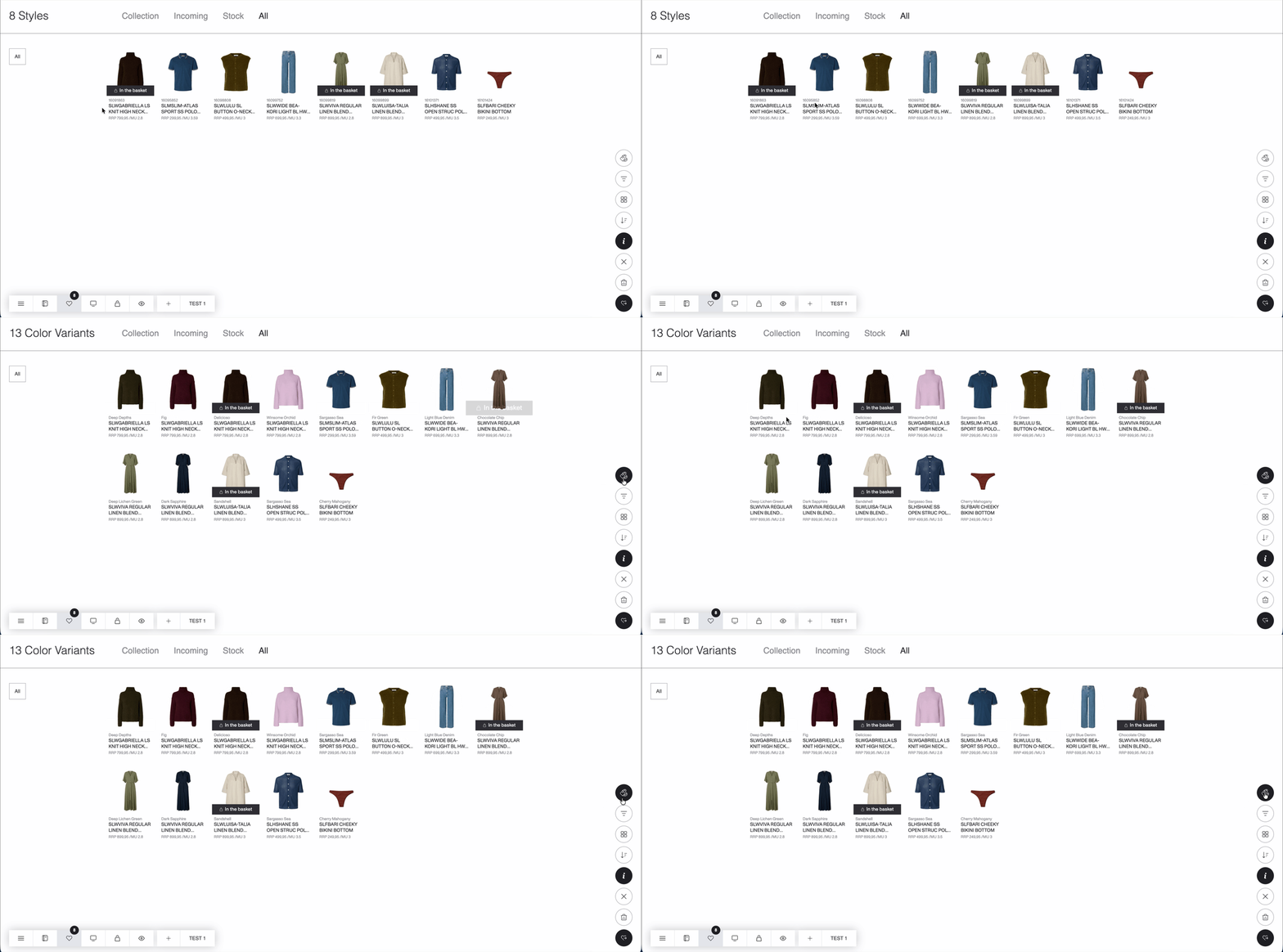
Stock tabs in Listings (Catalog, Favorites, Basket Inspect)
All listings now include 4 tabs: Collection · Incoming · Stock · All.
Each tab shows items based on their stock type so you can focus on the right availability context.
Each tab only shows items that match that stock type
When grouping by color, only the relevant color variants are shown in each tab
Searching within a specific tab may show no results if the style exists under a different stock type
A new Item Type filter is available in Settings → Filters with 2 options: Boxes and Sizes
This functionality is available in both DSR app and Public Link

New filters on PDP
The PDP now includes new filters for Stock type and Item type.
Filters update the visible items based on the current stock and available color variants
Media tab
Displays only color variants matching the selected filters
If nothing matches, a message is shown instead of a color variant list
Assortments tab
Uses the same logic and filters both the color variant list and the assortment list

Export behavior
Excel exports are not filtered by stock type and remain unchanged
PDF exports follow the current stock filtering in the Basket Inspect page
Add to Moodboards — Now Available from Catalog and PDP
You can now add items directly to Moodboards — either in bulk from listings or individually from the PDP — making curation faster and more flexible.
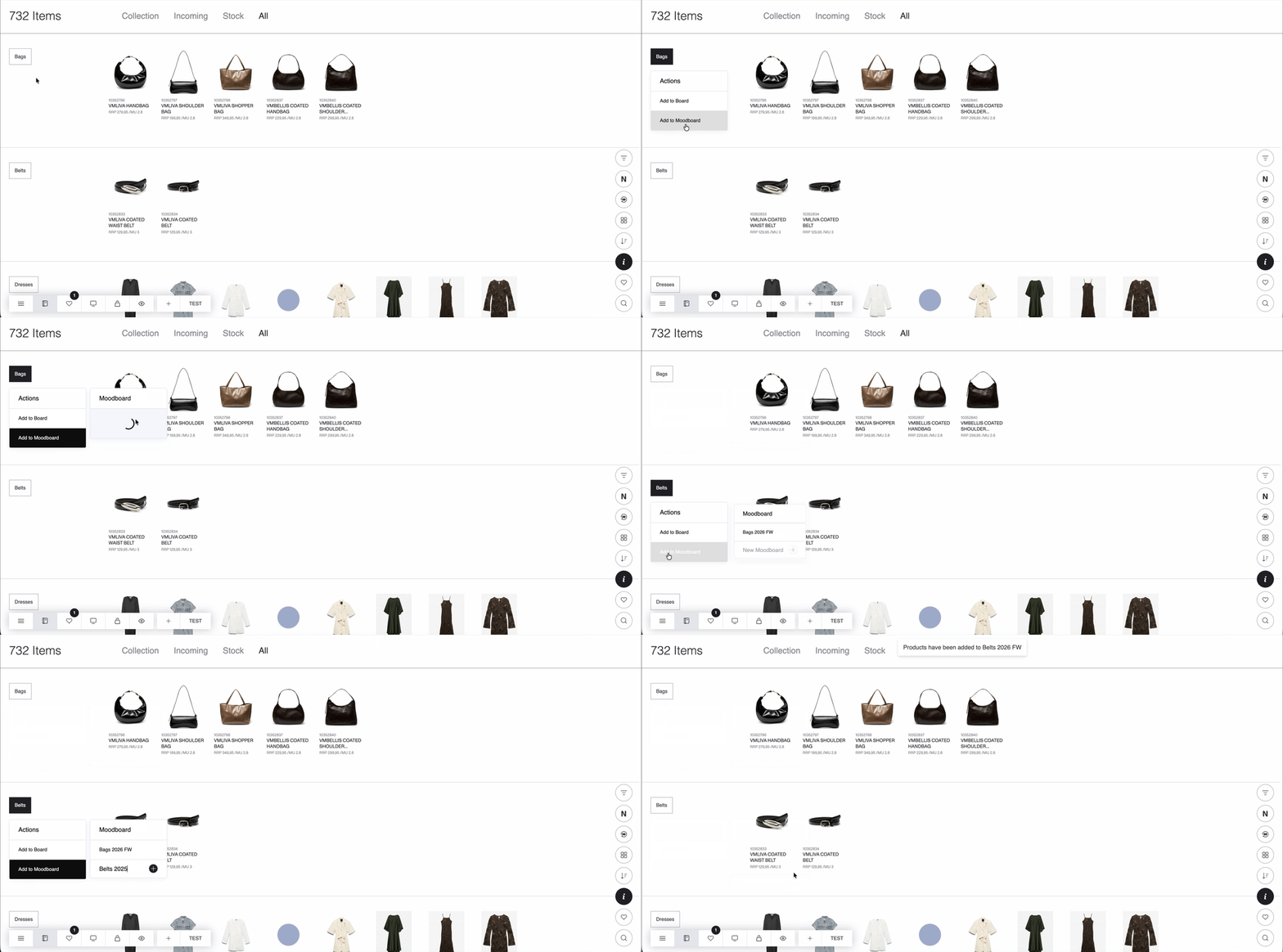
From Listings (Catalog, Favorites, Basket Inspect)
Click the grouping tag
Select Add to Moodboard
Choose an existing Moodboard or create a new one instantly
From PDP
Use the Add to Moodboard button
Select a Moodboard
Choose what to add: Selected color · Favorited color · All colors

This allows you to quickly build curated visual boards without leaving your current workflow.
Copy & Paste in Moodboards
Moodboards editing is now more flexible with copy and paste support.
You can copy and paste the following elements: Text · Media · Color variants.
Content can be pasted:
Within the same Moodboards page
To another Moodboards page in the same Presentation
To Moodboards in another Presentation within the same Brand
To Moodboards in Presentations belonging to a different Brand

You can also copy entire Moodboards pages and paste them into:
The same Presentation
Another Presentation
A Presentation under a different Brand

Standard keyboard shortcuts are supported: Ctrl + C to copy and Ctrl + V to paste.
This makes it easier to reuse and reorganize visual content across Moodboards and presentations.
Improved Price Display and Discount Handling
Price information across the app has been updated to reflect actual discounted values more accurately and consistently.
In Listings (Catalog, Favorites, Basket Inspect)
MU values now display with two decimals and are calculated using actual discounted prices
MU values may differ between listings and PDP
Listings display the highest MU matching the discounted value of the displayed color variant

In PDP
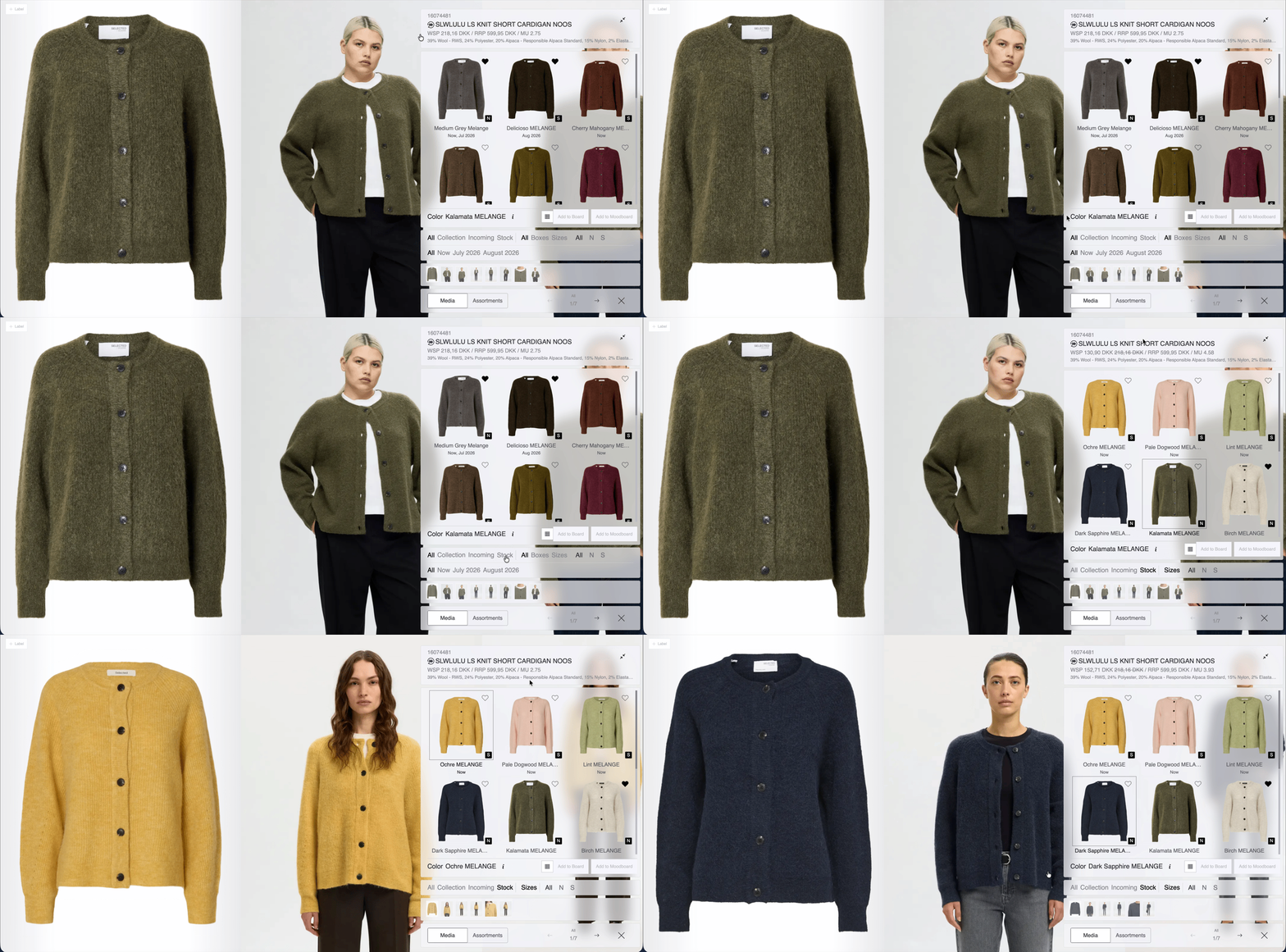
Price information now dynamically reflects the selected filters, stock type, and color variants.
Media tab
The WSP display in the PDP header has been updated
Prices reflect the correct value based on the selected filters and stock type
Discounts appear only when the matching filter is selected
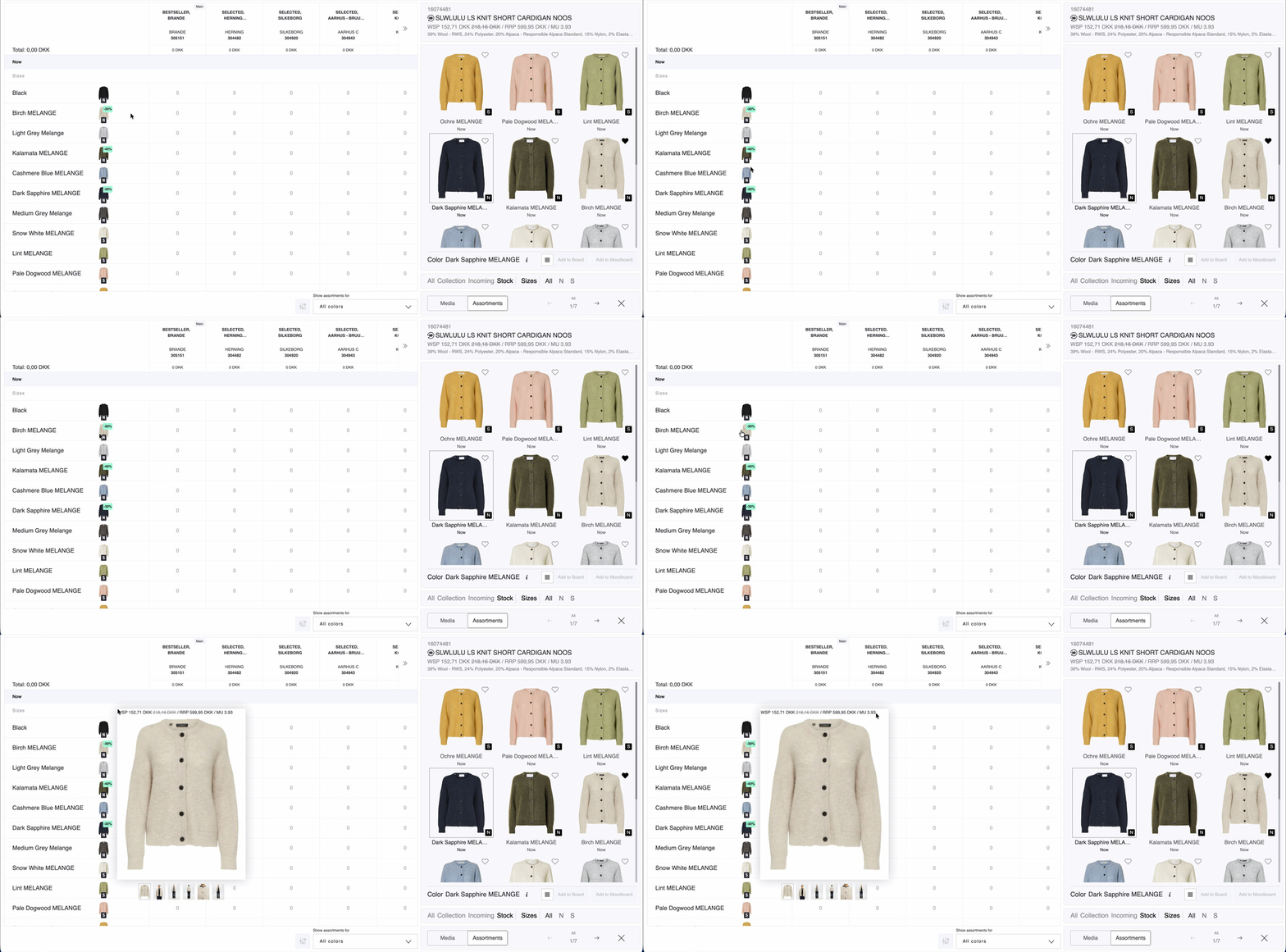
Assortment tab
Discount badges are displayed on color variant prepacks
Enlarged media now shows WSP / RRP / MU information above the image
The same price information is shown when viewing prepack size runs through the info button
Basket access to PDP
Opening a product from the Basket using the info (i) button now opens the full PDP where the same pricing logic applies.
Exports
Excel exports, PDF exports, and order receipts now display correct discounted MU, WSP, and totals based on the updated discount logic.
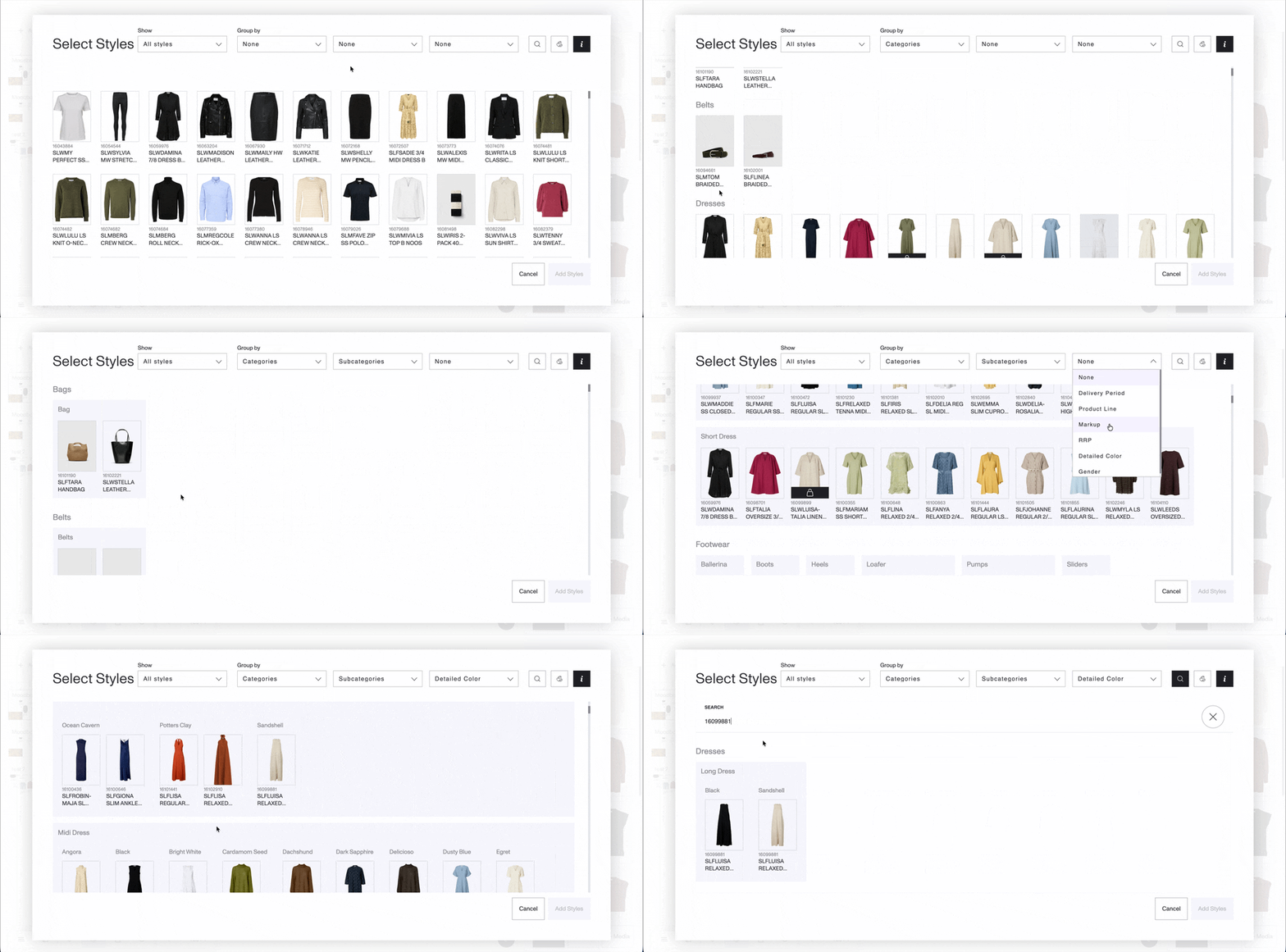
“Add Styles” modal in Moodboards page: 3-level grouping
Previously, styles in the Add Styles modal could only be grouped in 1 or 2 levels. The modal now supports up to 3 levels of grouping, providing more flexibility.
Search is also now available within the modal, making it easier to quickly find specific styles.
IMPROVEMENTS
Favorites page now reflects Style / Color Variant view consistently
Previously, the Favorites page continued displaying the Style ID even when Color Variant view was selected.
Now:
When Color Variant view is selected, the Color Variant name is displayed
When switching back to Style view, the label returns to the Style ID
FIXES & REFINEMENTS
Color variant media in Boards have now better quality in both DSR app and Public Link
Store-to-store copy now applies to all styles with quantities
The “Copy to next store” action now copies quantities for all styles and assortments, not just the active style.
Board media now displays correctly in generated PDFs
Media added to a board is no longer cropped in exported presentation PDFs.
Resolved unnecessary upload confirmation in Moodboards
The cancellation confirmation message no longer appears after an upload has already been canceled.
Resolved quantity table disappearing on Basket page
The quantity table now consistently displays after switching between multiple styles.
Resolved error when uploading many files to Media Library
Uploading a large number of media files at once now works without errors.
