
Presentations: Upload Your Own Media, New Stock Feature, Clearer Wholesale Pricing and Product Line Discount Display and More
1766117496771
Here are the latest updates to the DSR app.
HIGHLIGHTS OF THE RELEASE
Upload Your Own Media to Boards and Moodboards
You can now upload custom images and videos directly from your device, making it easier to enrich presentations with brand-specific or store-generated content.
Supports PNG, JPG, WEBP, MP4, and MOV (up to 250 MB)
Add media via file picker or drag-and-drop (multi-file supported)
Uploads show progress and can be canceled at any time
Leaving the page triggers a confirmation to avoid accidental loss
Uploaded media behaves exactly like Marketing Library content
Custom media is retained when copying presentations
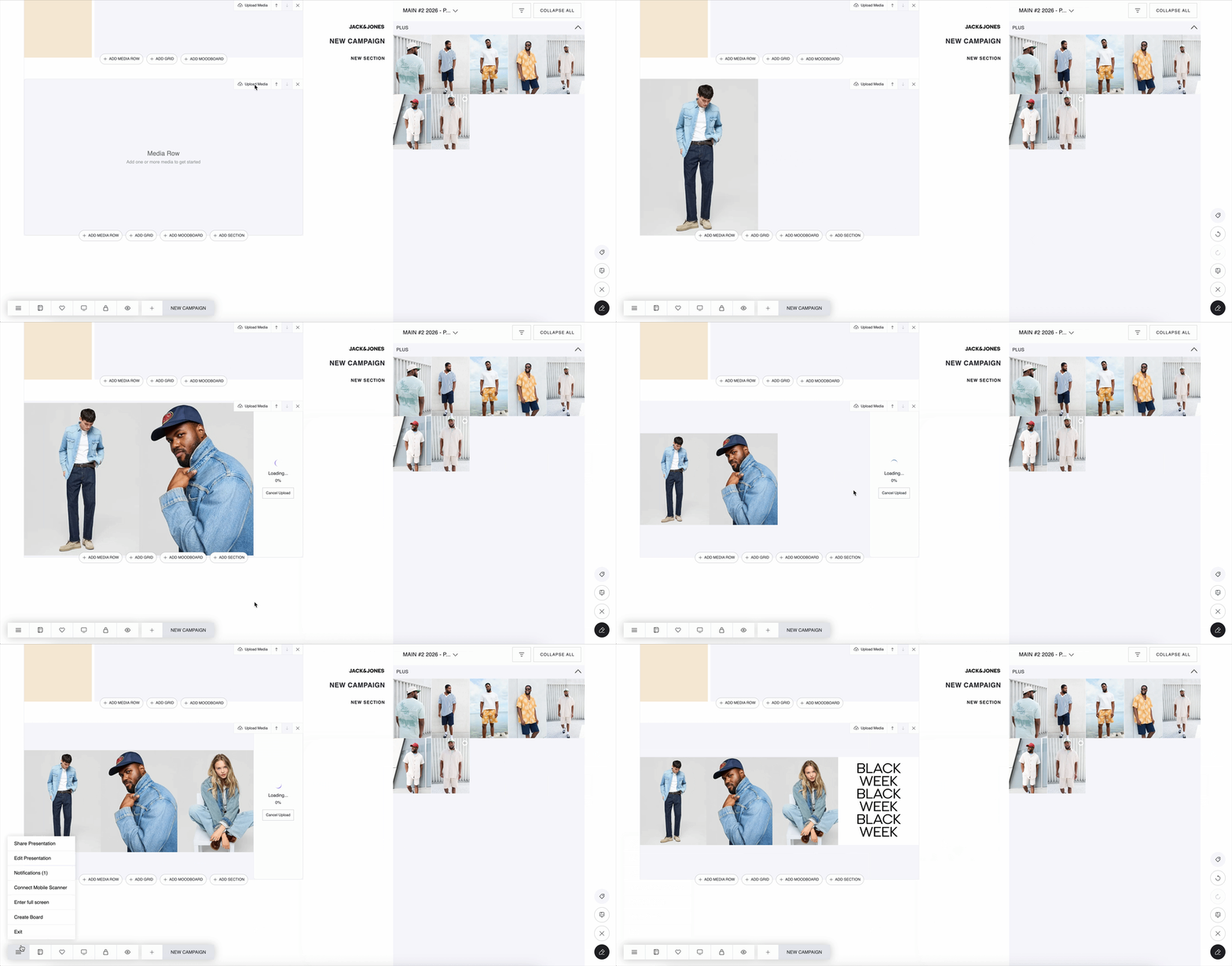
Available on Boards (with an "Upload Media" button) and Moodboards (with a circular upload button in the tool group)
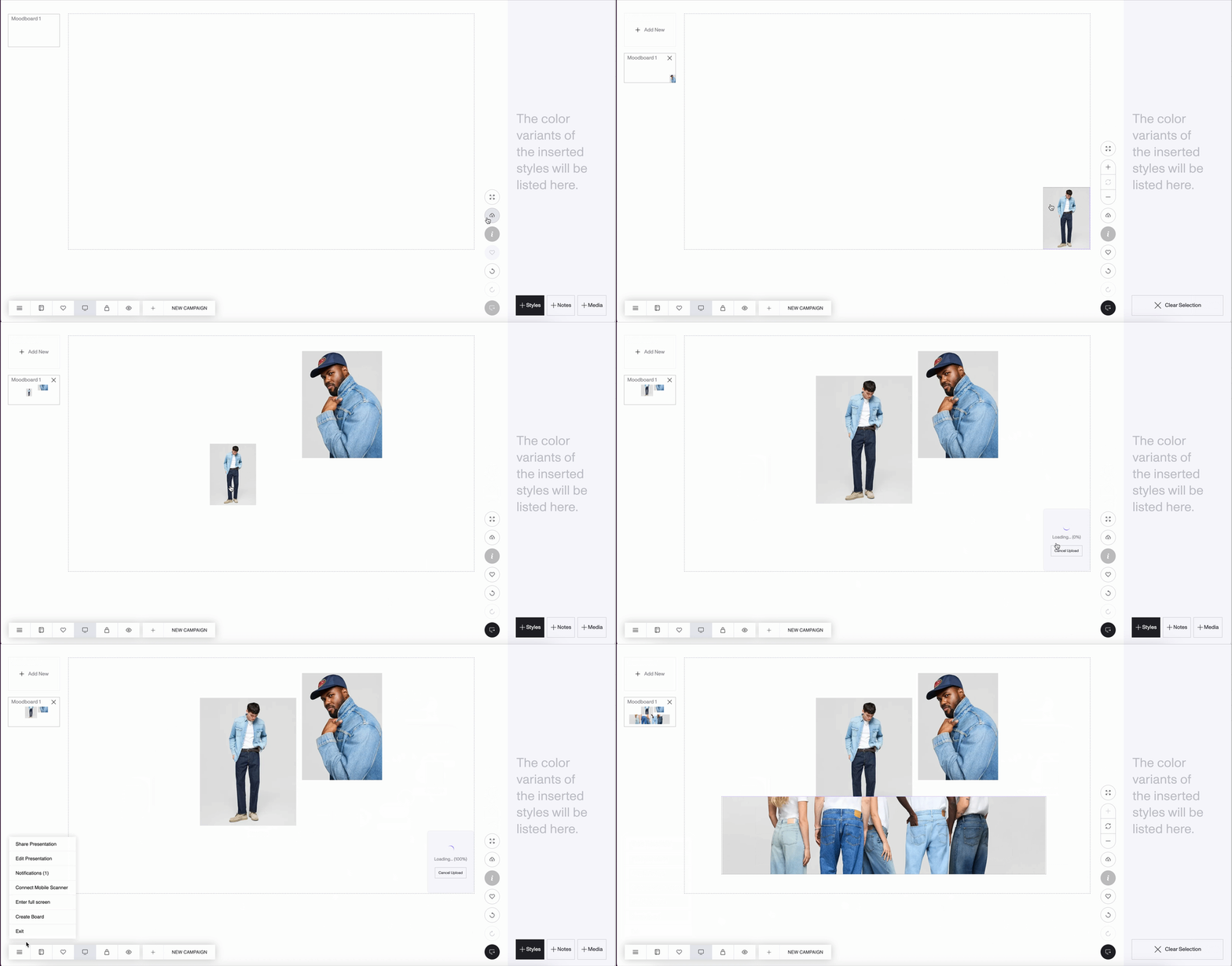
New Stock Feature
A complete stock visibility and ordering system is now available across Catalog, Favorites, Boards, PDP, Basket, and Basket Inspect — giving users a far clearer understanding of “Now” stock, OTS dates, and real-time ordering limits.
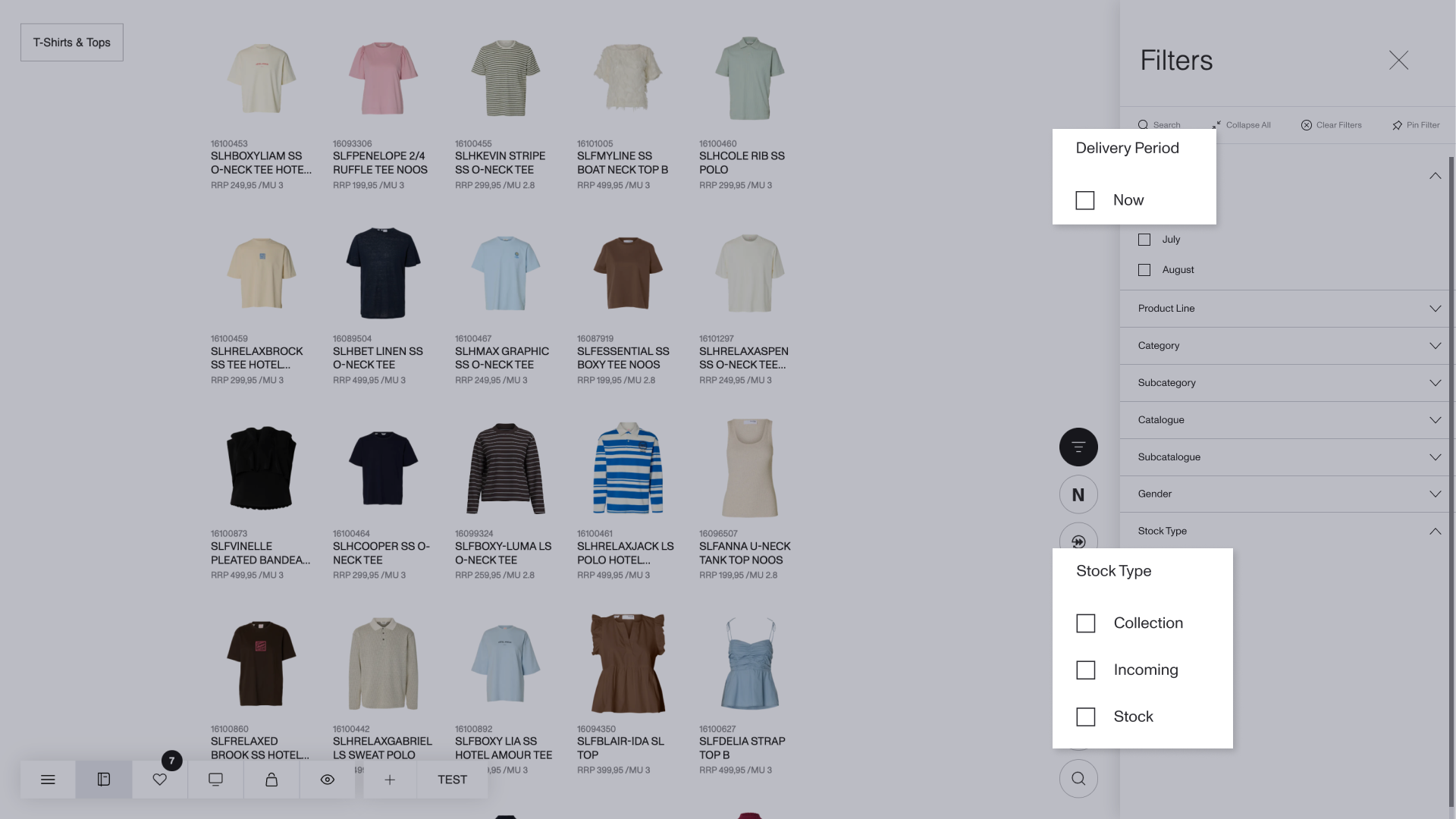
Catalog & Favorites: Stock Filtering
New Now option for Delivery Period filters, always listed first
New Stock Type filters: Collection, Incoming and Stock
Favorites shows stock filters only when relevant items have stock info
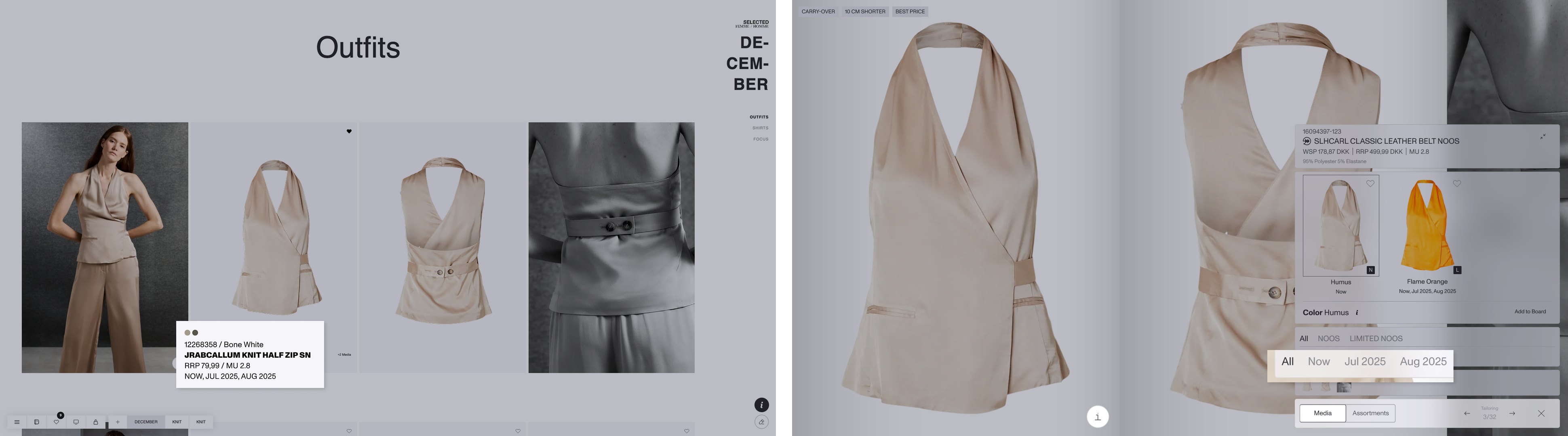
Boards & PDP: Delivery Display
Boards and PDP display NOW as the first delivery option (when applicable)
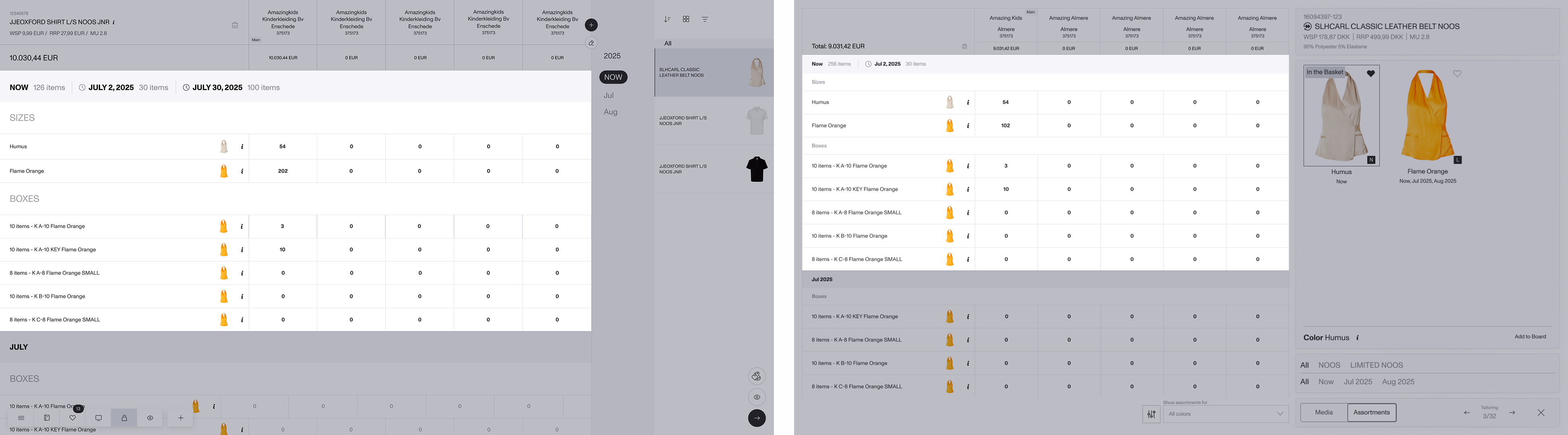
Basket & PDP: Quantity Summary for Now + OTS
New summary appears when quantities span both Now and OTS
Shows a consolidated Now total plus separate OTS totals
Updates automatically when users change quantities
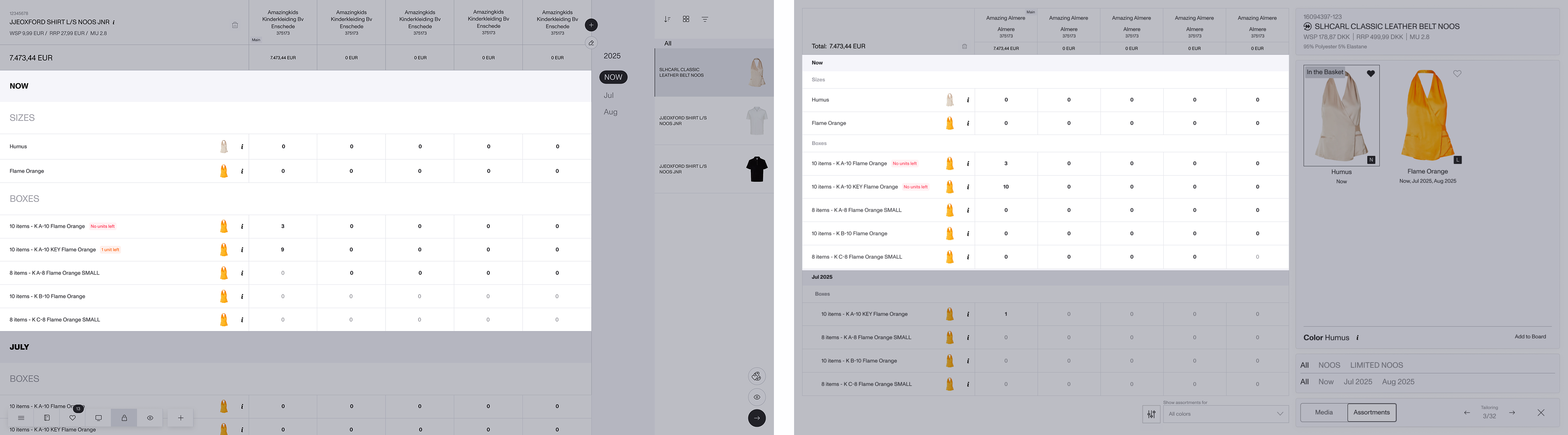
Basket & PDP: Stock-Aware Quantity Entry
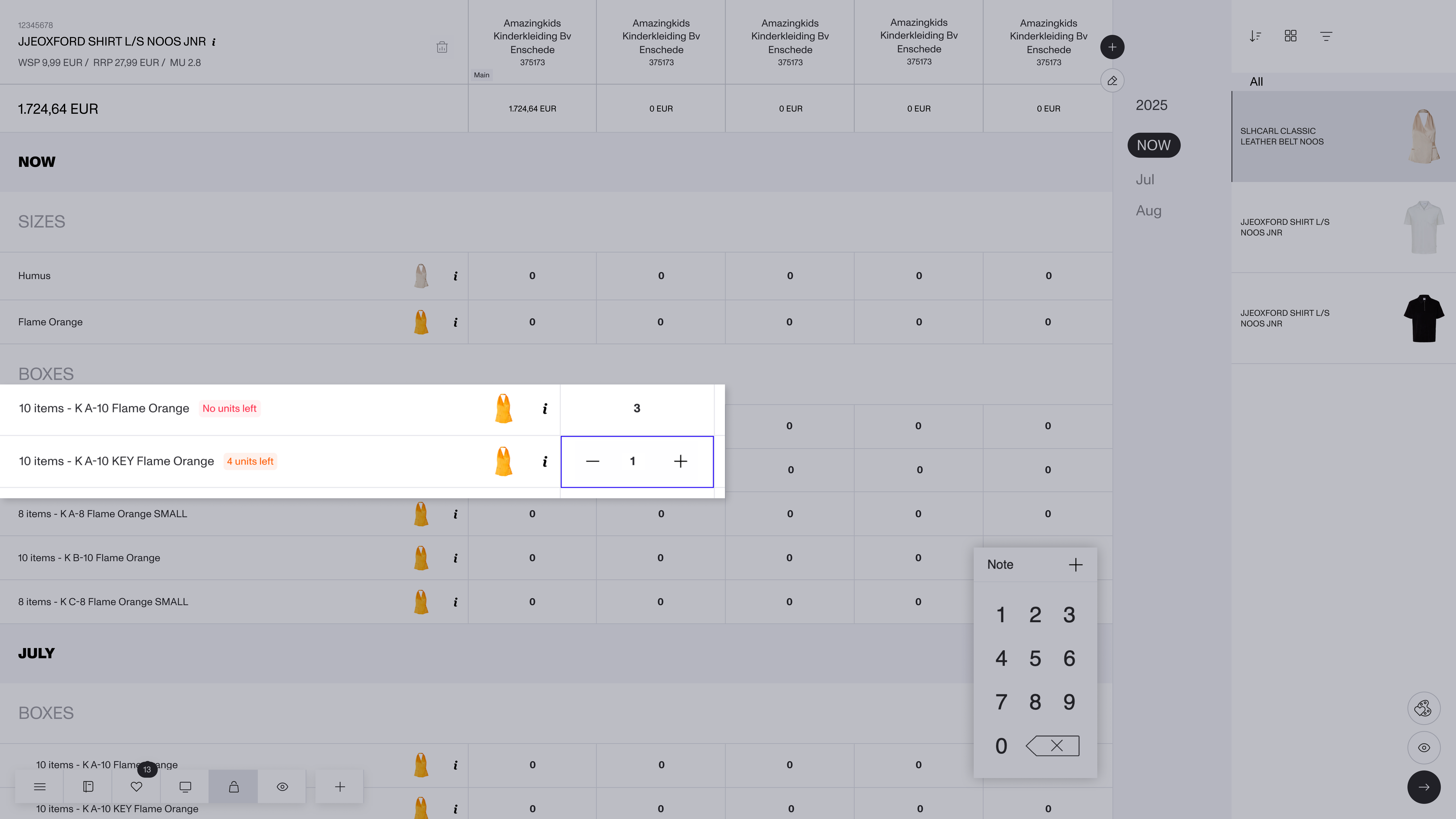
Automatic correction when entered quantities exceed available stock
Real-time low stock labels for boxes (“4 units left”, “no units left”)
(+) Button disabled after reaching max stock
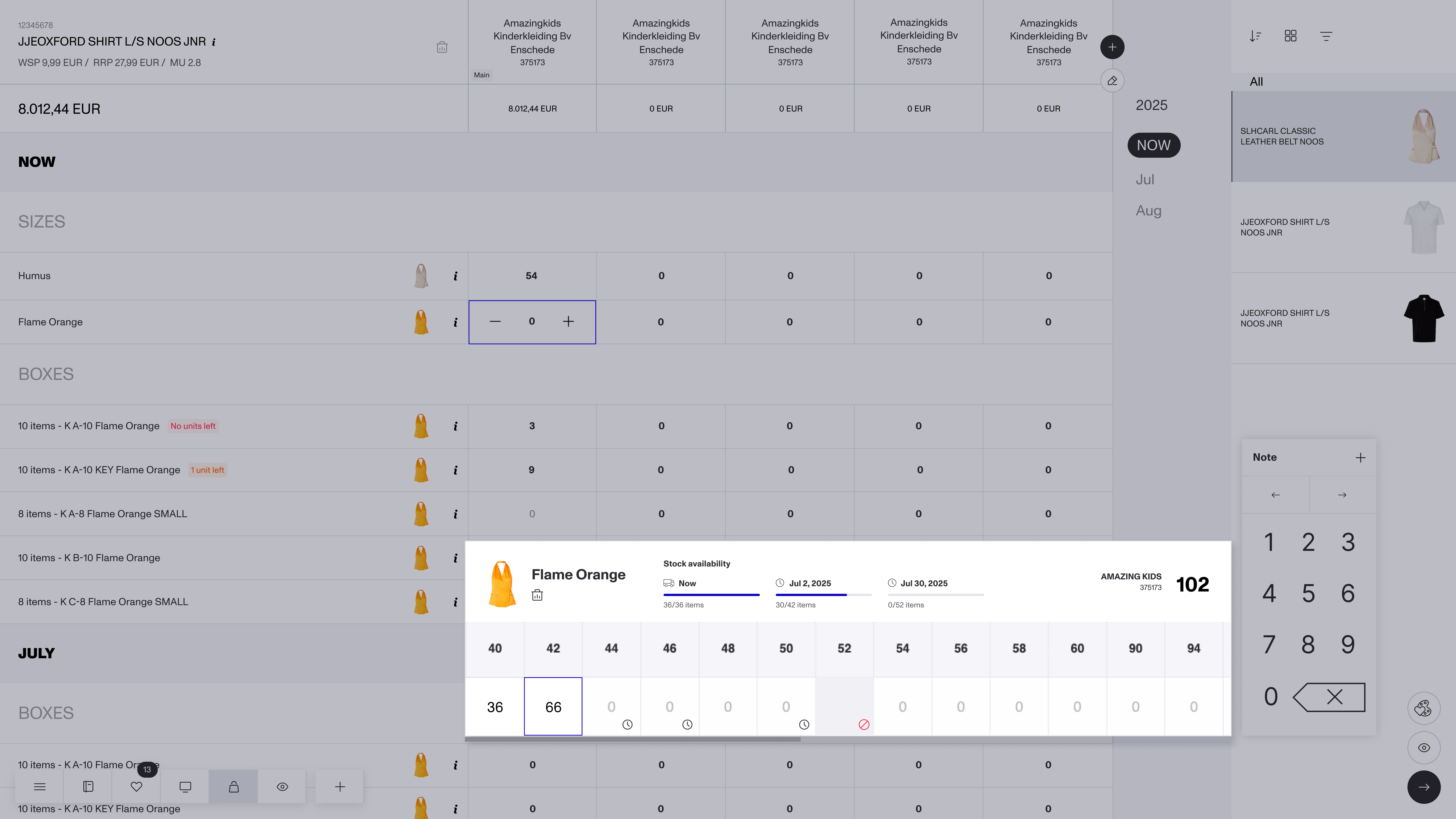
Basket & PDP: Free Assortments Modal for Sizes
Opens when interacting with size cells on Basket or PDP
Shows Now + multiple OTS dates as separate availability pools
System auto-allocates quantities chronologically (Now first, then OTS)
Clock icon shown when OTS stock exists
Basket Inspect: Delivery Labels
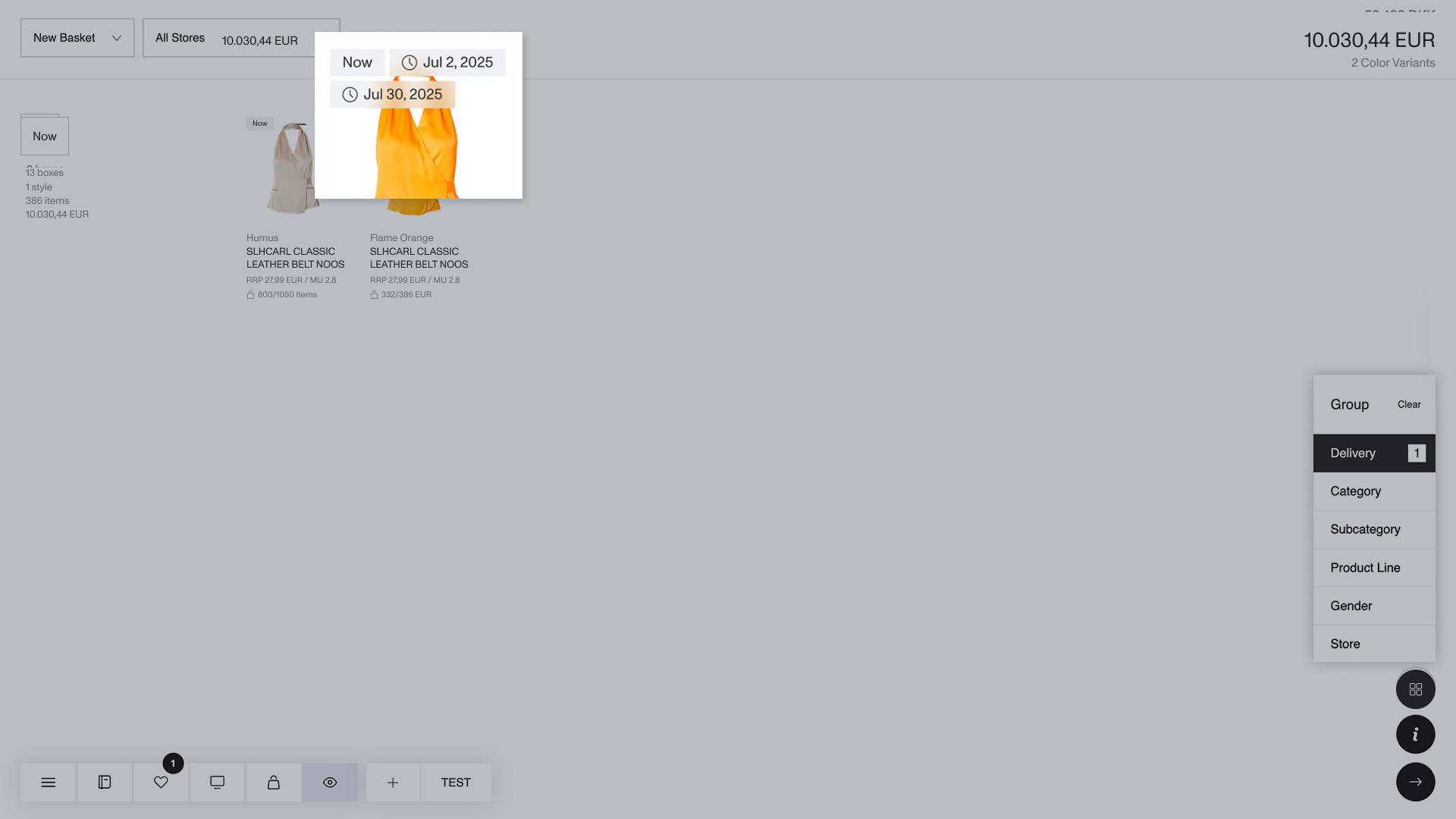
Shows clear labels for Now and each unique OTS date (with clock icons)
“Now” always comes first
Standard pre-order items do not display new labels
Clearer Wholesale Pricing and Product Line Discount Display
We’ve refined how wholesale prices and product line discounts appear across DSR.
Lowest wholesale price is always shown
Strike-through prices now appear only for product line discounts
Lower wholesale prices no longer look like discounts, reducing confusion
IMPROVEMENTS
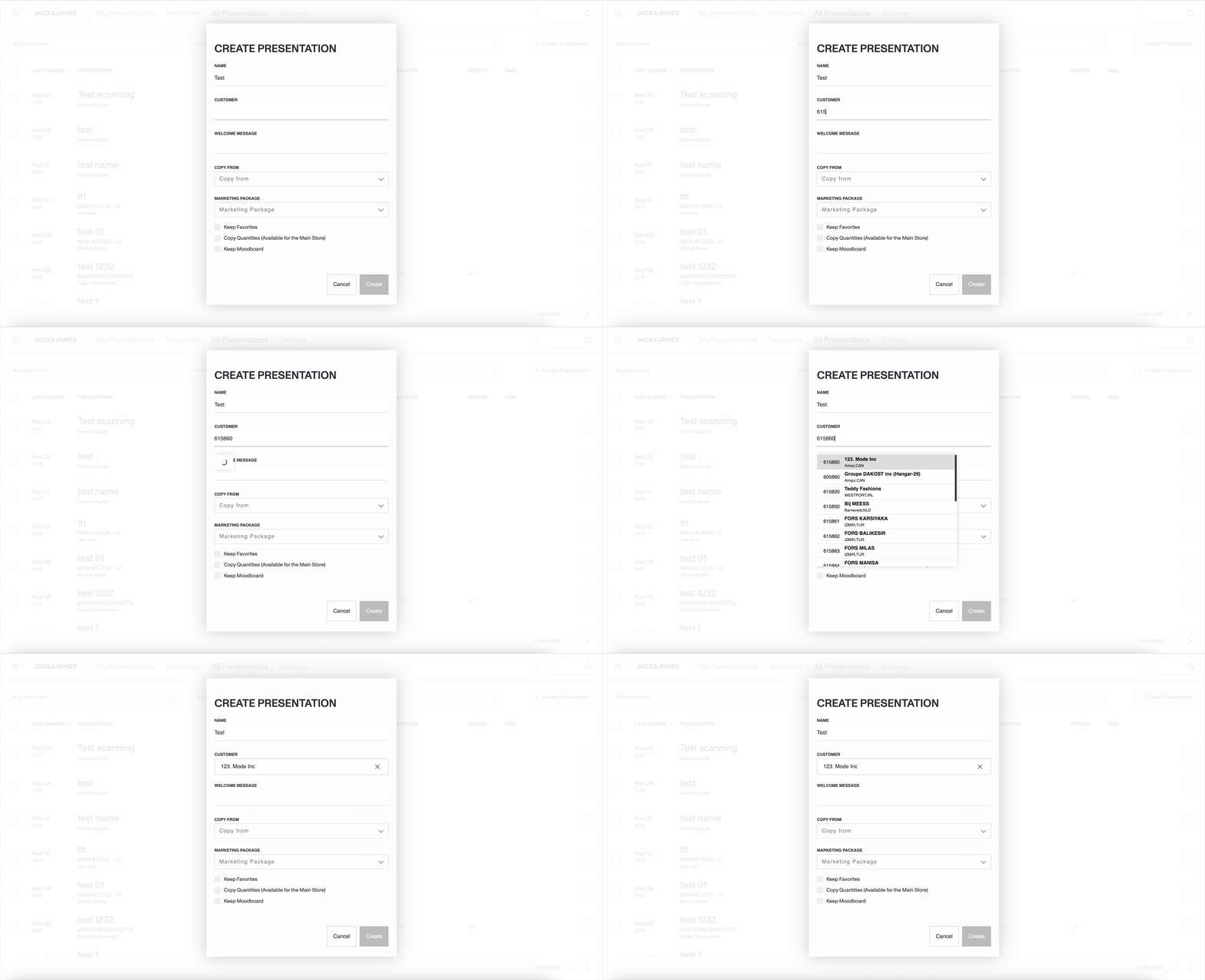
Search Stores by Store ID When Creating a New Presentation
You can now find and select stores by searching directly using the store ID.
Improved Support for iPhone Photos
Images captured on iPhones now upload with the correct orientation — no need to convert JPEG to JPG before uploading.
Sorting option update
‘Most sold (global)’ and ‘Most sold (local)’ sorting options in the catalog page will be removed. The star icon representing the Most sold panel will no longer be available in favorites and basket inspect pages.
Favorites Export Functionality
‘Export to BI2’ option will be removed from the favorites page, leaving only the ‘More’ option available.
Grouping and Filtering
There will have no limits on grouping and filtering options across all pages.
Users can now use all attributes for grouping and filtering, configured through general settings.
Sorting remains limited to 5 options.
